
The purpose of this document is to provide information on the two ways to renew the UI certification. It includes information on the requirements of and instructions for entering CEUs for Active and Inactive UI certifications.
California UST Inspector (UI) certification has two renewal options:
- Passing the exam again,
- Fulfill a minimum of 16 hours of Continuing Education (CEU) requirements approved by the CA State Water Resources Control Board (click here for requirements).
- Click here for step-by-step instructions on submitting CEUs in myICC
- CA UST CEUs are Part 2
- Select Activity Option 04 (CEUs must be within the two (2) years prior to the renewal date)
- How to renew your Code Council Certification video
- NOTE: All UI renewals are completed online. Paper renewal applications are no longer accepted.
- Click here for step-by-step instructions on submitting CEUs in myICC
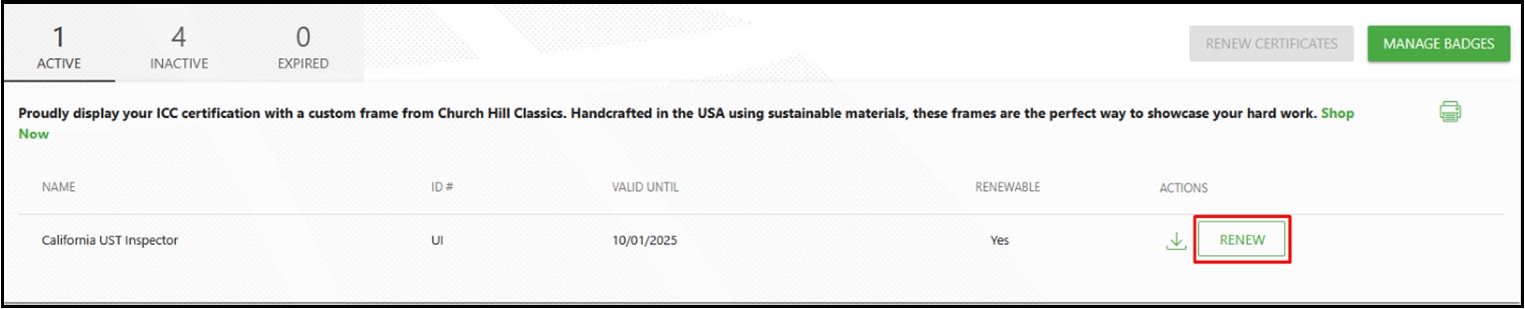
Active UI
Login to your myICC account
On your myICC Dashboard, select MY CERTIFICATIONS

Step 1: Select Renew
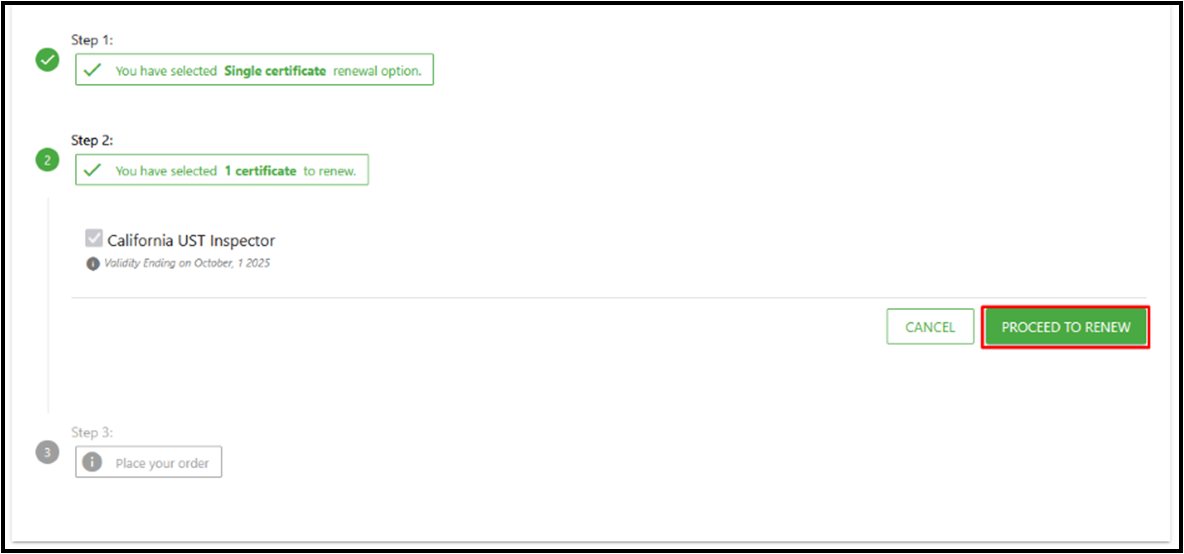
Step 2: Select Proceed to Renewal
Step 3: Acknowledge/Agree that all renewal fees are non-refundable.
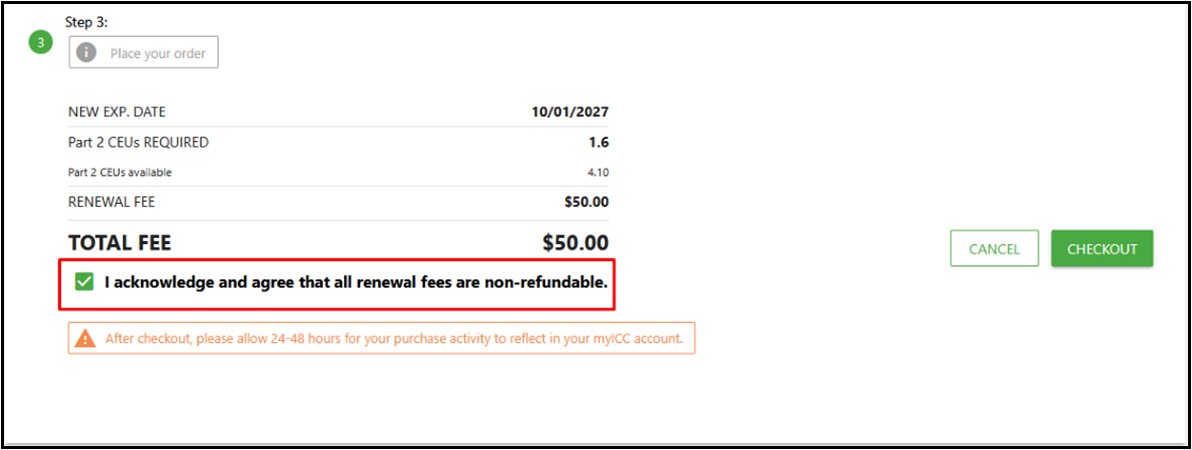
Proceed to Checkout to complete the transaction.
Inactive UI
Renewing within three (3) months of the current expiration date
Login to your myICC account.
On your myICC Dashboard, select MY CERTIFICATIONS

Step 1: Select Renew
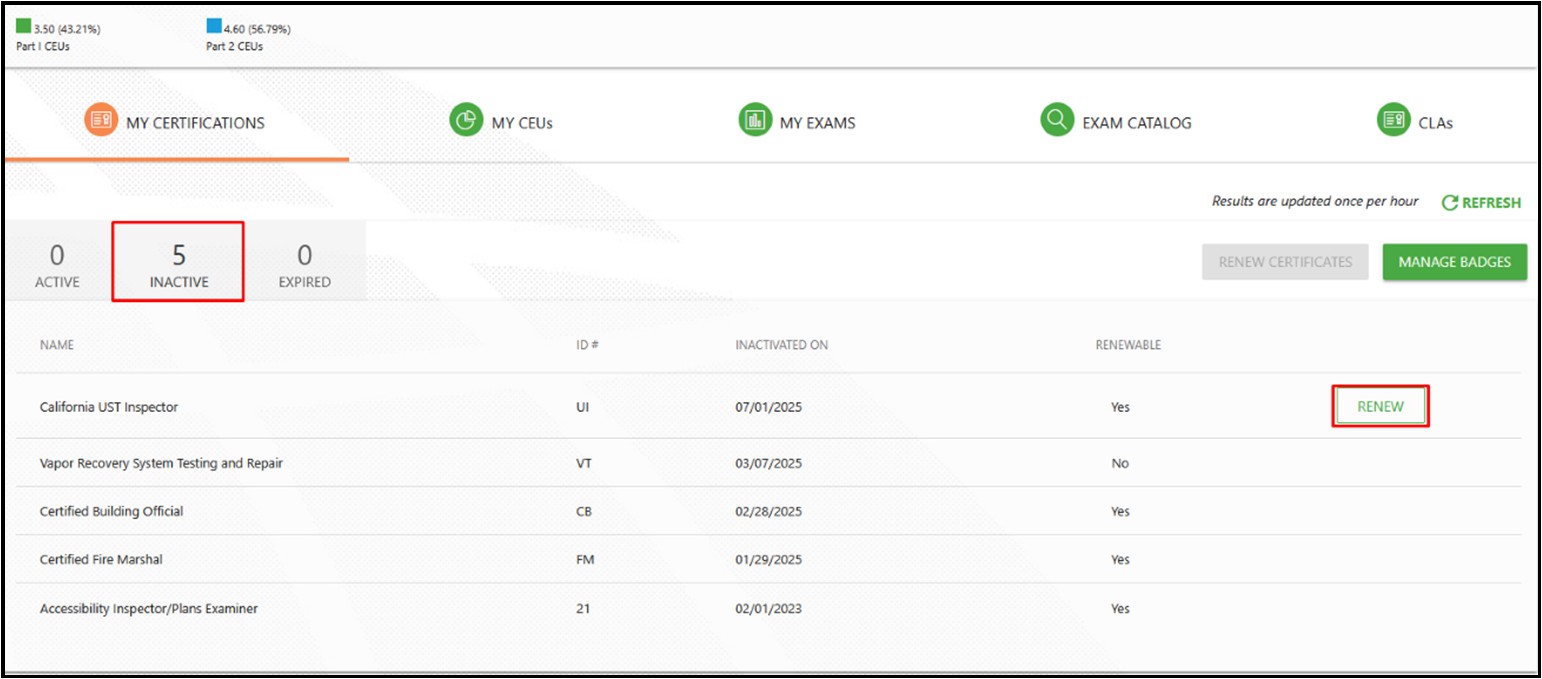
Step 2: Select proceed to Renew
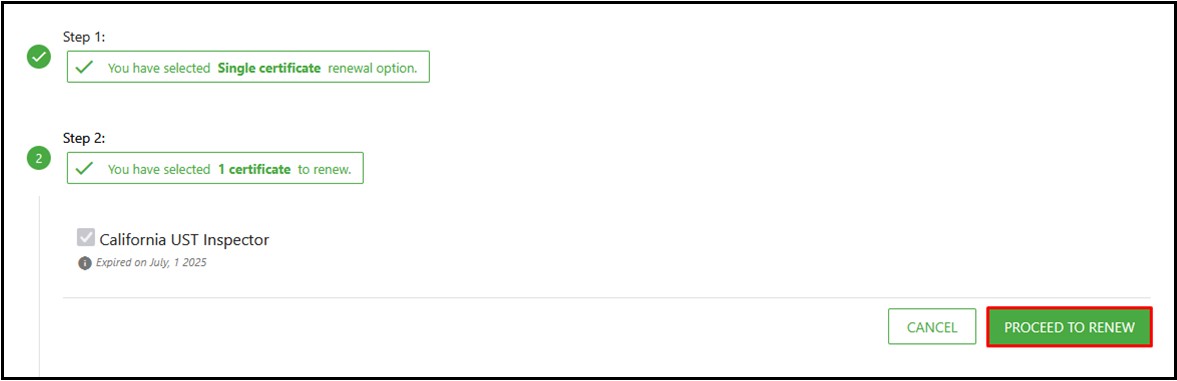
Step 3: Place Your Order (Renewal Fee + Late Fee)
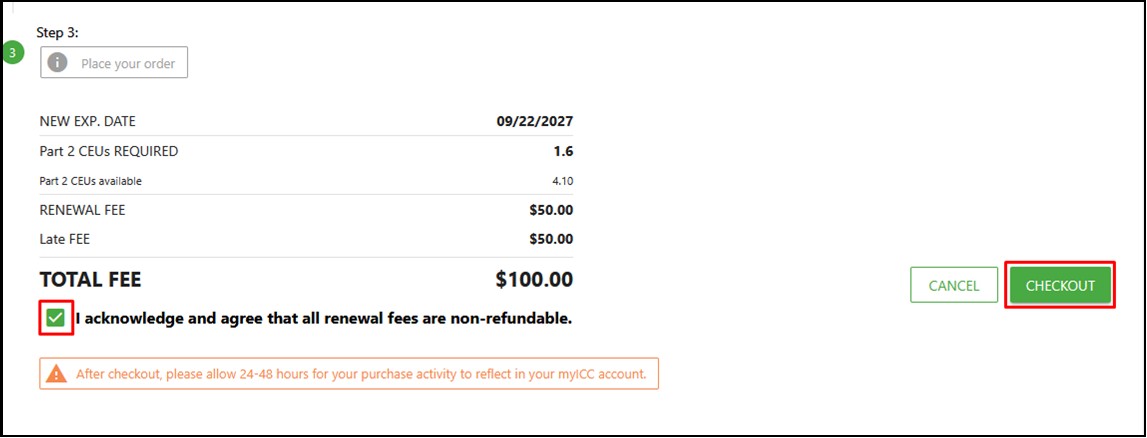
Proceed to Checkout to complete the transaction.
Expired UI
UI renewal applications received three (3) months after the current expiration date are not accepted. Candidate must retake the UI examination.