
Follow these steps to update the primary email address associated with your ICC Certifications:
Login to your myICC account
Sign in using your current email address to access your myICC Dashboard.
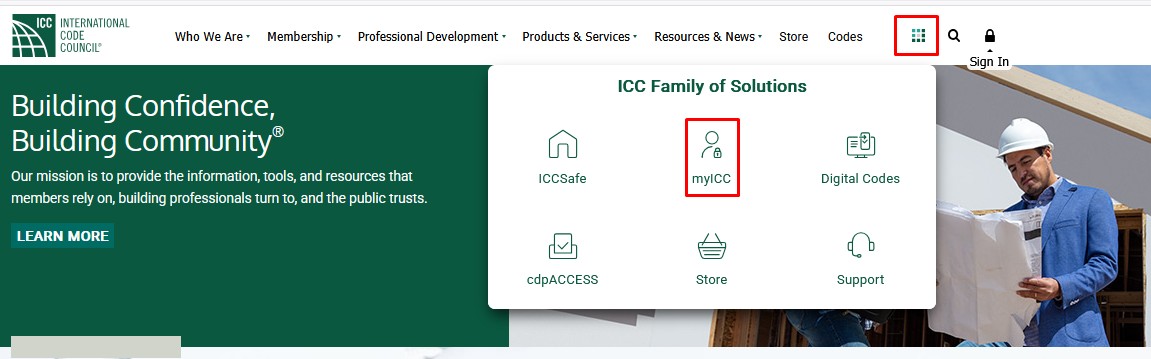
Go to My PROFILE
In the My Profile section, click on Update Profile to view your personal Information.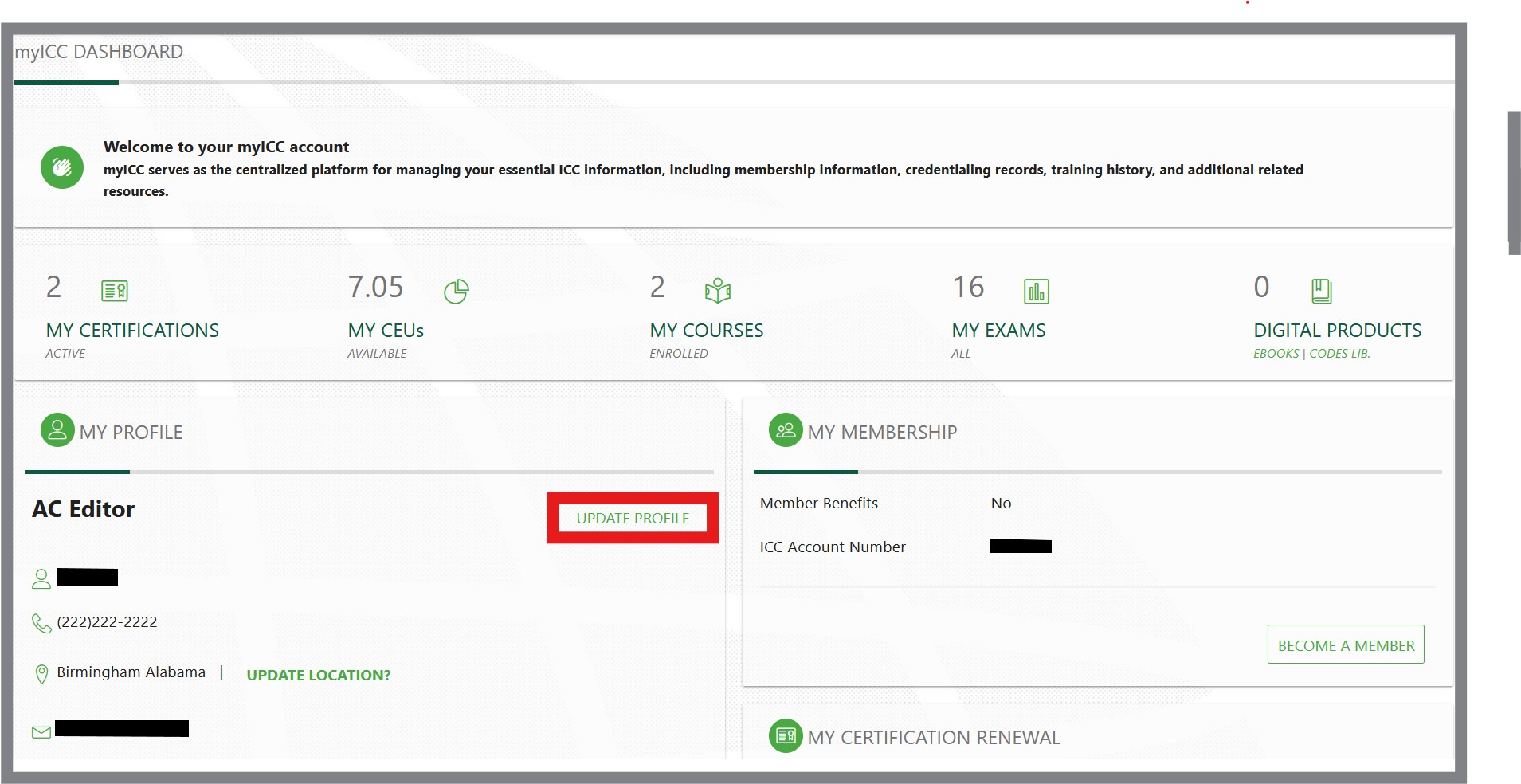
In the myICC MY ACCOUNT section, you can make changes to your personal information.
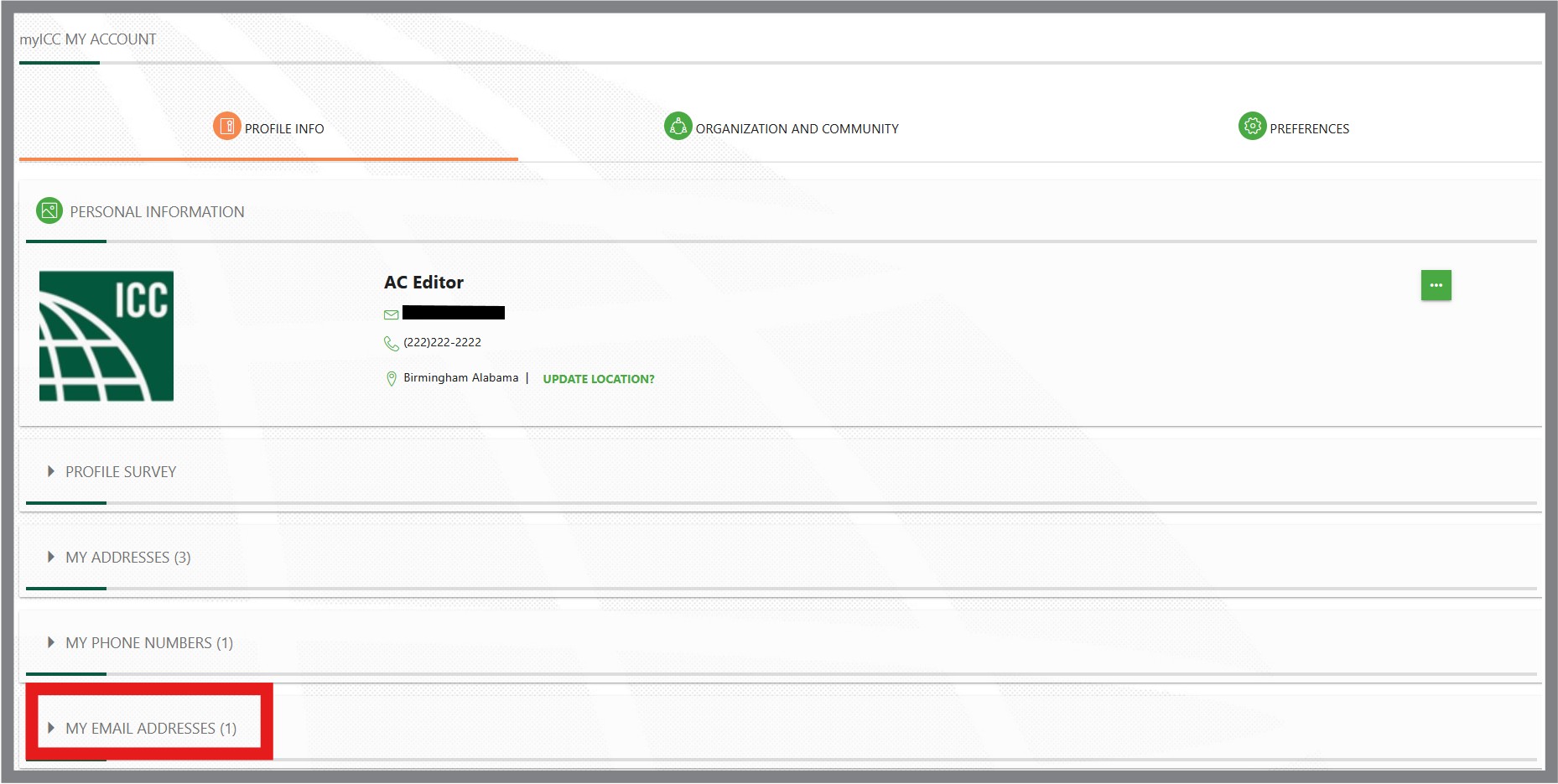
Update your Primary Email Address
To edit, click the dropdown arrow by MY EMAIL ADDRESSES. Click on the Pencil icon to Edit.

Add the desired new primary email address. Enter the current myICC account password and Click Save.
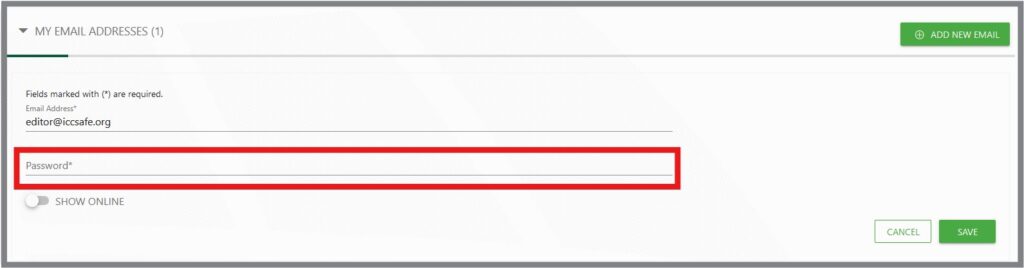
Confirm your update
You will receive a confirmation message in myICC. 
Follow the instructions in the email sent to the new primary email address from ICCsafe.org to complete the update.