
Overview
ICC AI Navigator is programmed to help users navigate our I-Codes like an expert. It uses Large Language Model (LLM) artificial intelligence to provide answers and guidance to the relevant code content. We at the ICC regularly update the content AI Navigator is trained and tested on to provide our users the best responses.
You must have an active Premium subscription to access this feature. If you are not a Premium user, you can visit the AI Navigator features page to know more about it –
https://codes.iccsafe.org/features/ai-navigator
AI Navigator now supports conversation mode, allowing you to delve deeper into topics with follow up questions. Read tips and best practices to holding good conversations with AI Navigator –
https://support.iccsafe.org/ht_kb/digital-codes/conversations-with-ai-navigator/
Accessing AI Navigator
 2. Via “Code Intelligence” linkAI Navigator is also listed in the “Main Menu” under the Code Intelligence heading.
 3. Within Code Contents
AI Navigator is accessible to generate summaries and answer questions within the section level Premium toolbar across many titles.
Ask a Question
The area to input your question for AI Navigator always appears on the lower half of the screen. Simply input your question into the text box. The arrow to the right submits it for AI Navigator’s response (which normally takes 2-5 seconds to appear).

By default, AI Navigator answers questions using the most recent editions of ICC’s I-Codes. You can refine your question to specific US States by using the selection directly above the text input box.
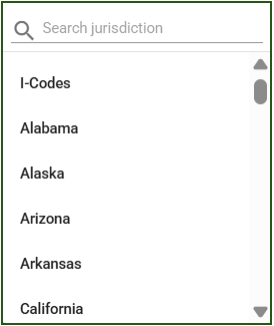
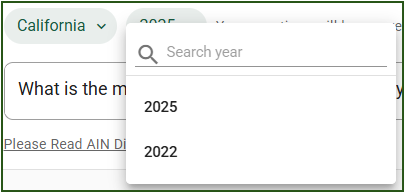
Once you have selected a state, it will default to their most recent adopted codes. For many states, you can also select an older code cycle.
View Your Answer
Your question and AI Navigator’s answer are displayed above where you asked the question.
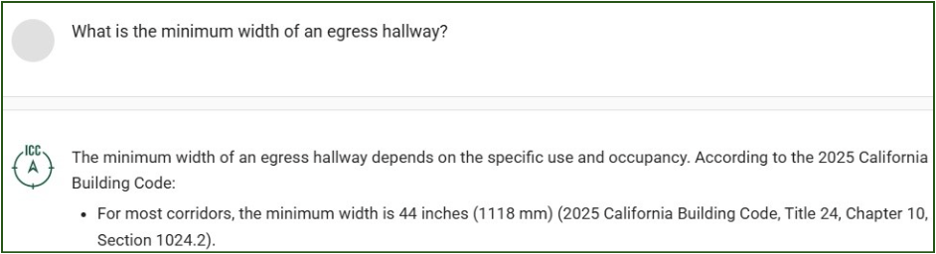
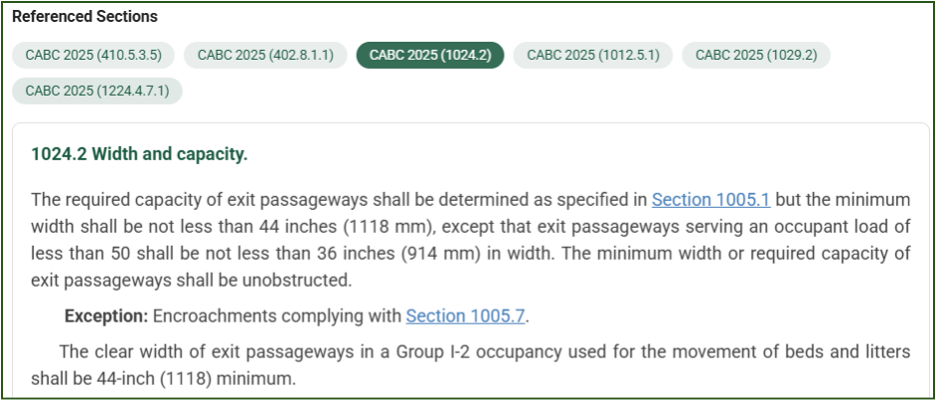
For example, if we change the “Jurisdiction” state/i-code option to California and the “Year” edition option to 2022, the bottom search bar will automatically recognize that your question needs to be answered using 2022 California Titles. Once you insert your question to the bottom search bar, your response will then be generated as seen below. At the bottom of each answer are Referenced Sections, which can be selected to open the section for reading, or for navigation to that section in the online codebook.
Usage
ICC AI Navigator has a usage limit of 100 questions within a rolling 14-day period. You will receive warning after 90 questions. Once you reach the 100-interaction limit, you’ll need to wait until the end of the 14-day period for your allowance to reset. This limit helps ensure fair and reliable access to the chatbot for all users.